Image to Image AI Editor
Edit your photos by describing the changes you want.
上传参考图片,最多 10 张。
拖拽或浏览选择
PNG、JPG、JPEG 或 WEBP(每张最大 10MB)
支持多张图片 • 已上传 0/10
描述你想修改的内容
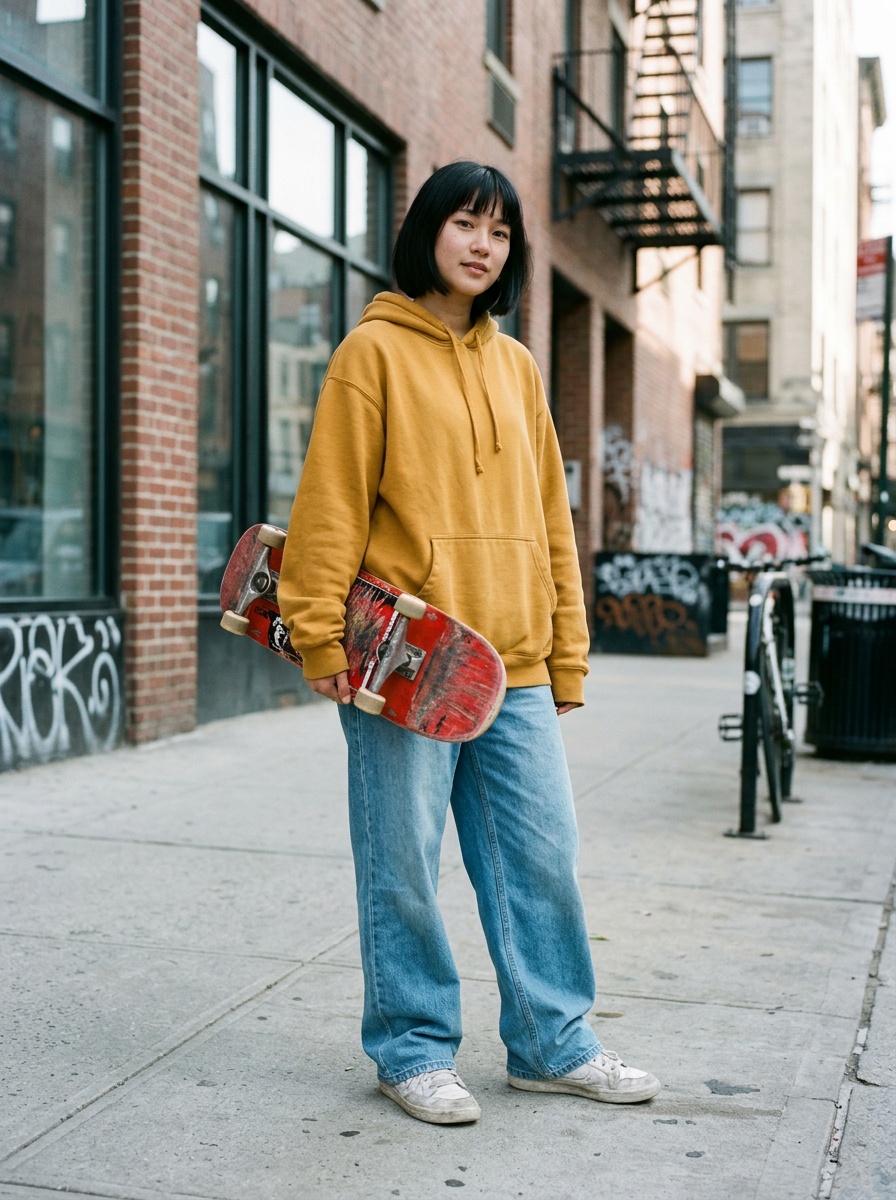 原图
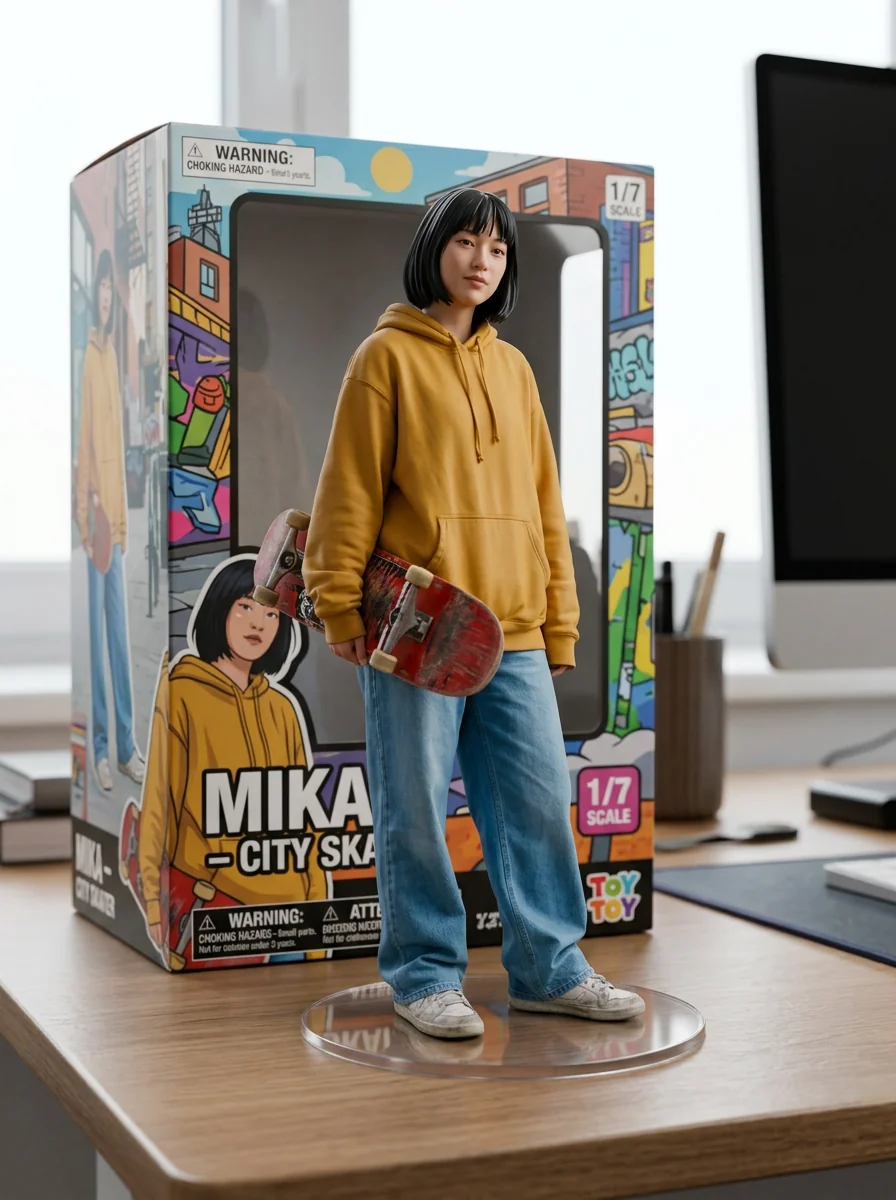 生成图
Turn the person in this photo into a 1/7 scale collectible PVC figure standing on a round transparent base, placed on a tidy desk next to a computer monitor. Behind the figure, a colorful retail toy box printed with the same character and the name "MIKA – CITY SKATER". Keep her outfit, hairstyle and skateboard exactly the same. Realistic product photo, soft studio light.
点击示例,填入它的提示词、图片和参数。
Features
Intelligent Image to Image Editing
Edit existing images with natural language. The Image to Image AI understands complex editing instructions like 'remove the background' or 'change the person's outfit' and executes them precisely.
Character Consistency
Maintain character features across multiple Image to Image generations. Perfect for creating AI influencers, brand mascots, or consistent visual storytelling with recognizable characters.
Multi-Image Blending
Combine multiple images seamlessly with Image to Image technology. Advanced context understanding allows you to blend different scenes naturally, creating cohesive compositions from separate sources.
Precise Local Edits
Make targeted changes without affecting the rest. The AI excels at surgical edits that preserve image integrity while modifying specific elements.
Professional Quality Output
Generate high-resolution images with accurate text rendering, suitable for commercial use in marketing, design, and content creation with Image to Image.
Advanced Prompt Control
Describe transformations in up to 5000 characters. Upload up to 10 reference images to guide Image to Image style, composition, and aesthetic direction.
Perfect For Multiple Use Cases
Photographers
Transform photo styles from winter to summer, day to night, or realistic to artistic without reshooting using Image to Image. Explore creative variations of existing shots.
Brand Designers
Maintain consistent character designs, product aesthetics, and visual identity across multiple images while adapting to different contexts and campaigns with Image to Image technology.
Social Media Creators
Repurpose existing content with different moods, seasons, or styles. Create cohesive visual themes across posts without starting from scratch using image transformation.
Product Marketers
Adapt product images to different seasonal campaigns, lighting conditions, or brand aesthetics while keeping the product structure intact with Image to Image.
Digital Artists
Explore alternative artistic directions for existing artwork. Transform illustrations between styles while preserving character poses and compositions using Image to Image AI.
How to Use Image to Image Generator
Step 1: Upload Reference Images
Drag and drop or browse to upload up to 10 reference images (PNG, JPG, JPEG, or WEBP, max 10MB each). These guide the Image to Image AI's output style and composition.
Step 2: Describe Your Transformation
Enter detailed prompts describing what you want to change for Image to Image conversion. Example: "Change the background to a blue sky, make it a sunny day with soft smile, warm lighting."
Step 3: Generate Your Image
Click "Generate" and wait minutes for AI processing. Review your transformed image, adjust prompts if needed, then download your Image to Image result.
FAQ
Transform Your Images with AI-Powered Style Transfer
Upload your reference images and describe your vision. Let Image to Image AI create stunning transformations while preserving what matters.