AI Image Upscaler
Enlarge photos up to 6x and restore facial details with our AI upscaler.
Upload an image to enhance
Click or drag to upload image
Supports JPEG, PNG, WEBP (max 10MB)
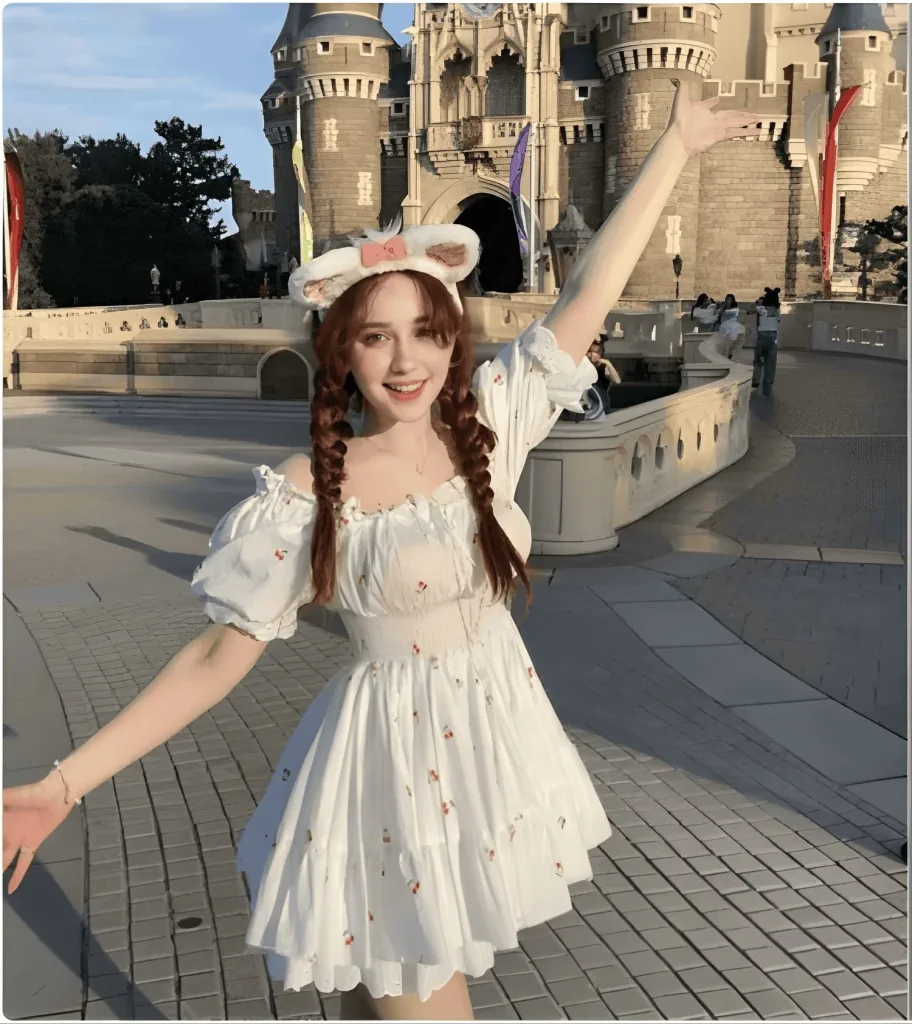
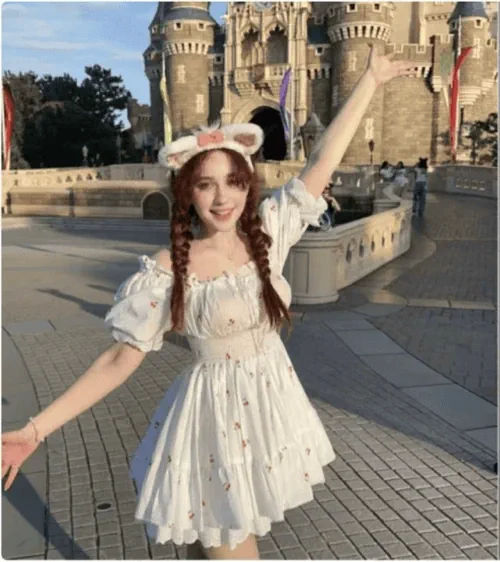
Drag slider to compare • Left: Before | Right: After
Professional Image Upscaler - Enlarge Photos Up to 6x
Transform your images with our cutting-edge AI Image Upscaler, the professional solution for enhancing photo resolution. This advanced Image Upscaler leverages state-of-the-art artificial intelligence to deliver exceptional 2x, 4x, and 6x resolution enhancement results, or clean up noise and blur at 1x without changing the size. Whether you need to upscale images for e-commerce, marketing materials, or professional photography, our Image Upscaler reconstructs fine details intelligently while preserving authentic image quality. Unlike traditional interpolation methods, this AI-powered Image Upscaler generates new pixels based on learned patterns from millions of high-resolution images, ensuring your upscaled photos look natural and crisp at any size.
Advanced Image Upscaler Features
Five Enhancement Models
Match the model to the source: Standard V2 for everyday photos, Low Resolution V2 for small or blurry files, CGI for digital art, High Fidelity V2 to preserve fine detail, and Text Refine for screenshots and documents.
Up to 6x Resolution
Choose 2x, 4x, or 6x to upscale images, or stay at 1x when the photo is already large enough and only needs cleaning up. A 4000 x 3000 photo becomes 24000 x 18000 at 6x, well past 4K.
Face Enhancement Controls
Turn on face enhancement for portraits, then tune strength and creativity to decide how far the Image Upscaler goes. Higher creativity rescues very blurry faces, lower keeps every feature close to the original.
Fast AI Processing
Most images finish in a few seconds and larger files in under a minute, depending on the original resolution and the scale factor you pick.
Secure Image Processing
The Image Upscaler uses HTTPS encryption for all file transfers. Your images are processed in isolated environments, ensuring complete privacy when you upscale pictures for commercial or personal use.
Multiple Format Support
Our Image Upscaler supports JPG, PNG, and WebP formats up to 10MB. This versatility ensures you can upscale images from any source for your professional workflow requirements.
How to Use Our Image Upscaler
Upload Your Image
Start using the Image Upscaler by uploading your image. Simply drag and drop or click to select JPG, PNG, or WebP files. The Image Upscaler accepts files up to 10MB for optimal processing.
Select Upscaling Options
Pick a scale factor: 2x, 4x, or 6x to upscale images, or 1x to keep the current size and only remove noise and blur. Turn on face enhancement if the photo contains people, and open Advanced to pick an enhancement model, subject detection, and output format.
AI Processing
The AI Image Upscaler analyzes your photo and begins enhancement. Most jobs finish in a few seconds, with large files at high scale factors taking up to a minute.
Download Enhanced Image
Preview your upscaled image and download the enhanced version as JPG for a smaller file or PNG for lossless quality, whichever you selected before processing.
Professional Image Upscaler Applications
E-commerce Product Photography
Online retailers use our Image Upscaler to enhance product photos for high-resolution displays. Upscale images from standard cameras well past 4K, ensuring products look sharp on all devices.
Digital Marketing Enhancement
Marketing teams rely on this Image Upscaler to upscale images for campaigns across multiple platforms. Transform social media graphics into billboard-quality visuals without losing detail.
Print Production Quality
Prepare images for professional printing with our Image Upscaler. Increase resolution to meet commercial printing standards when you need to upscale photos for brochures, posters, or packaging.
Real Estate Photography
Real estate professionals use the Image Upscaler to enhance property photos for listings. Upscale images to showcase properties in stunning detail, attracting more potential buyers.
Professional Photography Studios
Photography studios integrate our AI Image Upscaler into their workflow for client deliverables. Upscale photos for large format prints while maintaining professional quality standards.
Photo Restoration Services
Restoration specialists use this Image Upscaler to bring old photos back to life. The AI upscaling technology intelligently reconstructs missing details when you upscale vintage photographs.
Web Design Optimization
Web designers use our Image Upscaler to prepare graphics for retina displays. Upscale images to ensure websites look crisp on high-resolution screens without massive file sizes.
Social Media Content Creation
Content creators leverage the Image Upscaler to enhance visual quality across platforms. Upscale photos to meet platform-specific requirements while maintaining engagement-worthy quality.
Why Choose Our AI Image Upscaler
Our Image Upscaler stands apart from basic upscaling tools by employing sophisticated deep learning technology. While traditional methods simply stretch pixels leading to blurry results, this AI Image Upscaler uses neural networks trained on millions of image pairs to understand how to naturally upscale pictures. The Image Upscaler analyzes texture patterns, edge details, and contextual information to generate new pixels that look authentic at higher resolutions.
The advanced algorithms in our Image Upscaler excel at preserving fine details while enhancing overall clarity. You stay in control of how that happens: choose the enhancement model that matches your source, use subject detection to treat the subject and the background differently, and enable face enhancement when portraits need extra attention.
Performance and reliability make this Image Upscaler ideal for professional workflows. The cloud-based architecture ensures you can upscale images without installing software or upgrading hardware. Each processing credit guarantees high-quality output from the Image Upscaler, making it a cost-effective solution for businesses needing to upscale photos regularly. With automatic updates to the AI models, the Image Upscaler continuously improves its enhancement capabilities.
Image Upscaler vs Traditional Methods
AI Image Upscaler (Our Solution)
- Intelligent detail reconstruction when you upscale images
- Natural-looking results at 2x, 4x, and 6x resolution
- Face enhancement with adjustable strength and creativity
- Preserves textures and fine details during upscaling
- Professional quality suitable for commercial use
Traditional Interpolation
- Basic pixel stretching with limited quality
- Blurry or pixelated results at high scales
- No intelligent feature detection
- Loss of detail and texture information
- Not suitable for professional applications
Frequently Asked Questions About Our Image Upscaler
What makes this Image Upscaler different from others?
Our Image Upscaler uses advanced AI neural networks to intelligently reconstruct details when you upscale images, rather than simple pixel interpolation. This results in naturally enhanced photos with minimal artifacts, making the Image Upscaler ideal for professional use.
Which file formats can I upscale with this Image Upscaler?
The Image Upscaler accepts JPG, PNG, and WebP files up to 10MB. You choose the output format before processing: JPG for a smaller file, PNG when you want every pixel preserved.
How much can the Image Upscaler enhance resolution?
You can upscale images by 2x, 4x, or 6x their original resolution. There is also a 1x option that keeps the original size and only removes noise and blur, which is the right choice when the photo is already large enough.
Is the Image Upscaler suitable for commercial projects?
Yes, all images processed through our Image Upscaler can be used for commercial purposes without restrictions. Whether you upscale photos for marketing, e-commerce, or client projects, you have full usage rights.
How fast does the Image Upscaler process images?
Most images finish in a few seconds. Processing time grows with the original image size and the scale factor, so a large photo at 6x takes the longest, usually still under a minute.
Does the Image Upscaler work with all types of photos?
Yes, and you can tell it what it is working with. Five enhancement models cover everyday photos, low-resolution files, digital art, detail-critical images, and text-heavy screenshots, so portraits, landscapes, products, and graphics each get the treatment that suits them.
Is my data secure when using the Image Upscaler?
Absolutely. The Image Upscaler uses HTTPS encryption for all file transfers, and images are processed in isolated environments. We prioritize your privacy and security when you upscale pictures for any purpose.